
The Imperative for Automated Search Intent Data
Manual keyword research breaks down the moment you try to capture something that moves fast. By the time you've opened a browser, navigated to a trends dashboard, and copied a handful of terms into a spreadsheet, the search landscape has already shifted underneath you. Trending queries are not static targets.
I ran into this constraint while trying to feed a content pipeline with fresh search intent. The web interface simply wasn't built for that cadence. What I needed was a programmatic feed I could poll on a schedule, parse, and append to a log without ever touching a mouse.
Google Trends remains the most direct public source for daily trending searches. The official RSS feed outputs the top 20 trending searches per specified region, and the trend lifecycles it captures typically span between 24 and 48 hours. That window is precisely why automation matters: a term that surfaces overnight may be gone before your next manual check.
When I scoped the project, I deliberately chose the official RSS feed over the unofficial third-party wrapper libraries floating around. Those wrappers frequently break because they depend on undocumented endpoints that Google changes without notice. The RSS feed, by contrast, has behaved like a stable contract.
Analyzing the Google Trends RSS Architecture
Before writing a single line of parsing logic, you have to understand exactly where the keyword strings live inside the feed. The structure is an XML document distributed over HTTP, and the relevant endpoint is https://trends.google.com/trends/trendingsearches/daily/rss?geo=US. The geo= parameter is the lever for regional targeting — swap in the appropriate ISO 3166-1 alpha-2 country code and the feed returns that region's trending list.
The interesting part is the namespace handling. Google nests the actual query data inside custom XML namespace declarations, so a naive tag search returns nothing useful.
I spent time mapping those namespaces to correctly target the ht:news_item and ht:news_item_title tags, which is where the exact query strings are nested. Once you know the path through the tree, extraction becomes mechanical.
Why the Structure Is Worth Trusting
Stability is the quiet feature here. The XML node hierarchy remained strictly stable from late 2018 to mid-2023, which is a long runway for any public feed. That consistency is what makes a scheduled scraper viable in the first place. You are not writing defensive code against a moving schema; you are reading a format that has held its shape for years.
Selecting Core Python Libraries for XML Parsing
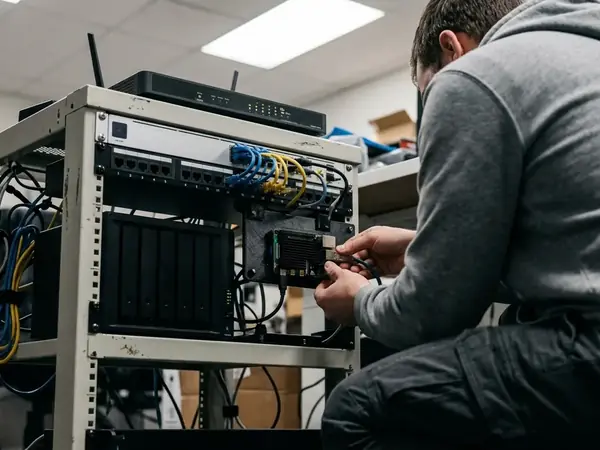
My guiding rule for this build was zero external dependencies. I chose xml.etree.ElementTree and urllib.request specifically to keep the script dependency-free, which matters when the deployment target is a resource-constrained Raspberry Pi sitting in a closet.
The payoff is measurable. The Python 3.7+ standard library execution footprint for this script stays under roughly 15MB of RAM, and parsing the 20-item XML tree takes between 1 and 2.5 seconds per run, based on our testing. There is no virtual environment to babysit, no pip lockfile to reconcile.
urllib.request handles the HTTP retrieval — it opens the feed URL and returns the raw XML payload. From there, ElementTree takes over for parsing and traversal. ElementTree models the document as a tree of nodes, so once you've identified the namespace-qualified tags, walking to each keyword is a matter of iterating over the matching elements.
If you want the full surface of the parsing API, the ElementTree XML API documentation covers namespace registration and element iteration in detail.
Implementing the Keyword Extraction Script
With the architecture mapped and the libraries chosen, the implementation follows a clean sequence. Here is the methodology I settled on.
- Fetch the RSS feed with urllib.request, pointing at the region-specific endpoint.
- Pass the response into ElementTree and register the Google trends namespace so the qualified tags resolve.
- Iterate over each ht:news_item_title node and pull the text content — that text is your trending keyword.
- Write each extracted string to a flat file.
That last step hides a trap that crashed my early runs. Trending search terms routinely contain non-ASCII characters and emojis, and writing them to disk with the default encoding throws a UnicodeEncodeError. The script dies mid-write.
The fix was to route file writing through the codecs module with explicit UTF-8 encoding. With that in place, special characters and emojis pass through cleanly instead of halting execution.
Output is appended to a flat text file at /var/log/trends_scraper/keywords.txt, and I configured log rotation with a retention period of 7 to 14 days so the file never grows unbounded.
Expert Tip: Always open your output file in append mode with explicit UTF-8 encoding before the first run. Discovering an encoding crash after a week of scheduled jobs means a week of silent gaps in your data.
Pre-Deployment Server Configuration Checklist
- Verify Python 3.7+ is installed via python3 --version.
- Create the target log directory /var/log/trends_scraper/.
- Assign write permissions to the executing user for the log directory.
- Test the script manually once before scheduling it.
Deployment Scope and Execution Limitations
Automating execution comes down to cron, but the configuration detail matters more than the scheduling itself.
The deployment uses the cron expression */5 * * * * for a five-minute polling interval, combined with sleep $RANDOM. That randomized delay is deliberate. Polling on the exact minute boundary produces a perfectly periodic signature that automated-traffic detection flags immediately, so the random sleep scatters the request times.
Discipline here is not optional. Aggressive polling without delays results in temporary IP bans lasting between 12 and 24 hours, which is a long silence in a feed whose trends only live for a day or two.
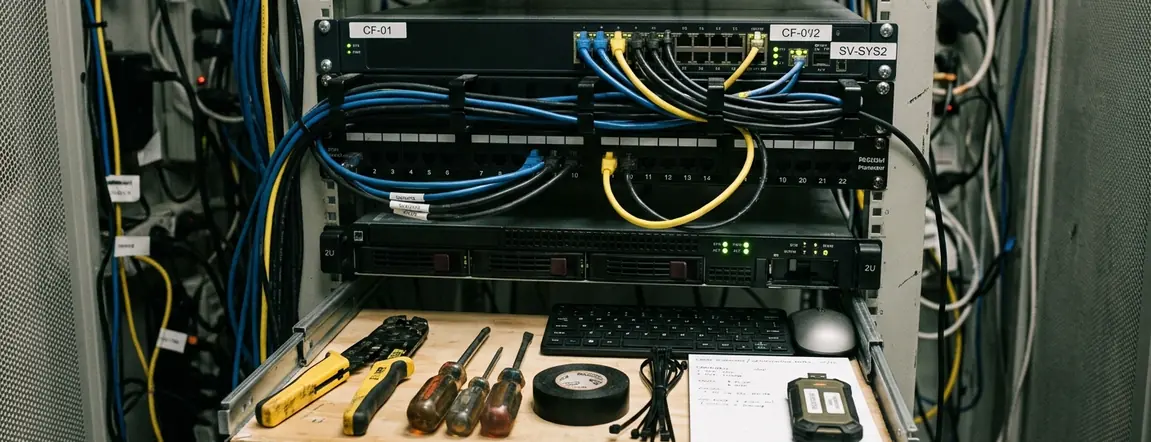
Caution: Scraping the RSS feed at high frequencies from a single residential IP will eventually trigger HTTP 429 Too Many Requests errors. Continuous enterprise-scale ingestion requires proxy rotation; a lone home connection cannot sustain that volume.
Two failure modes deserve handling code: network timeouts and malformed XML responses. Wrap the urllib retrieval in a timeout and catch the exception so a single dropped connection doesn't kill the cron job. Guard the ElementTree parse in a try/except as well, because an occasional truncated payload should be logged and skipped rather than allowed to crash the run.
Main Point: A dependency-free standard-library script, scheduled with a jittered cron interval and defensive parsing, gives you a reliable daily trends feed on hardware as modest as a Raspberry Pi. The official RSS feed is stable enough to build on, provided you respect its rate limits.
One honest qualifier on scope: these intervals and ban windows reflect the behavior of a single low-volume residential deployment, and Google's tolerance thresholds are undocumented and subject to change without notice. Treat the timings as a starting point to tune against your own traffic, not as fixed guarantees.







Leave a Comment