
If a scheduled task fails at 3 AM on a headless server, does anything in your stack actually notice?
When a 3 AM Database Dump Dies Quietly
System administrators have leaned on the Vixie cron daemon for decades, and for good reason. Five fields, one command, one line in a crontab. The execution model is small enough to hold in your head, portable across every Unix-like system you are likely to touch, and stable to the point of invisibility.
Invisibility is the problem.
One audit of maintenance-window logs on a production database host started after a nightly dump failed inside the window spanning roughly 02:00 to 04:00 UTC. The daemon fired exactly on schedule. The script exited early. No alert reached anyone. What sat on disk the following morning was a truncated file that looked, by filename and timestamp, entirely healthy.
That failure mode is baked into the time-based execution model itself. Cron's contract is narrow: run this command at this moment, as this user. It makes no promise about what happens to the exit code, whether prerequisite services were up, or whether anyone will ever read the output. As server environments accumulate database dependencies, network mounts, and container runtimes, that narrow contract starts leaving gaps that only surface during a restore.
This evaluation stays deliberately confined to the two schedulers shipped natively with recent Linux distributions: Vixie cron and systemd timers. Third-party replacements such as fcron were considered as a middle ground and set aside, because the practical question most homelab and infrastructure operators face is what to do with the tools already installed.
Two Files, One Job: How Timers Activate Services
Cron executes your command inside a minimal, non-interactive shell. It does not source your login profile, your shell rc files, or anything that shapes your interactive terminal. The default environment ships with a stripped path, commonly PATH=/usr/bin:/bin, and little else.
This single detail produces the most common support ticket in server automation: the script that works flawlessly when you run it by hand and dies without explanation at 04:15. A Python maintenance script invoking a binary from /usr/local/bin, or activating a virtual environment through a relative path, resolves cleanly in your shell because your profile put those directories on the path. The cron shell never saw that profile. The interpreter is simply not found, the wrapper exits non-zero, and the failure has nowhere to go.
The activation phase and the execution phase
Systemd separates the same work into two distinct units, and understanding that split is what makes the extra file worth writing.
A .timer unit holds scheduling logic and nothing else: calendar expressions, boot-relative delays, accuracy tolerances. It never runs your code. When the clock condition is satisfied, the timer activates a matching .service unit, which carries the full execution definition: user, working directory, environment file, exact command path. The scheduling decision and the execution context become two separately auditable objects. Full syntax for the scheduling side is documented in the systemd.timer manual.
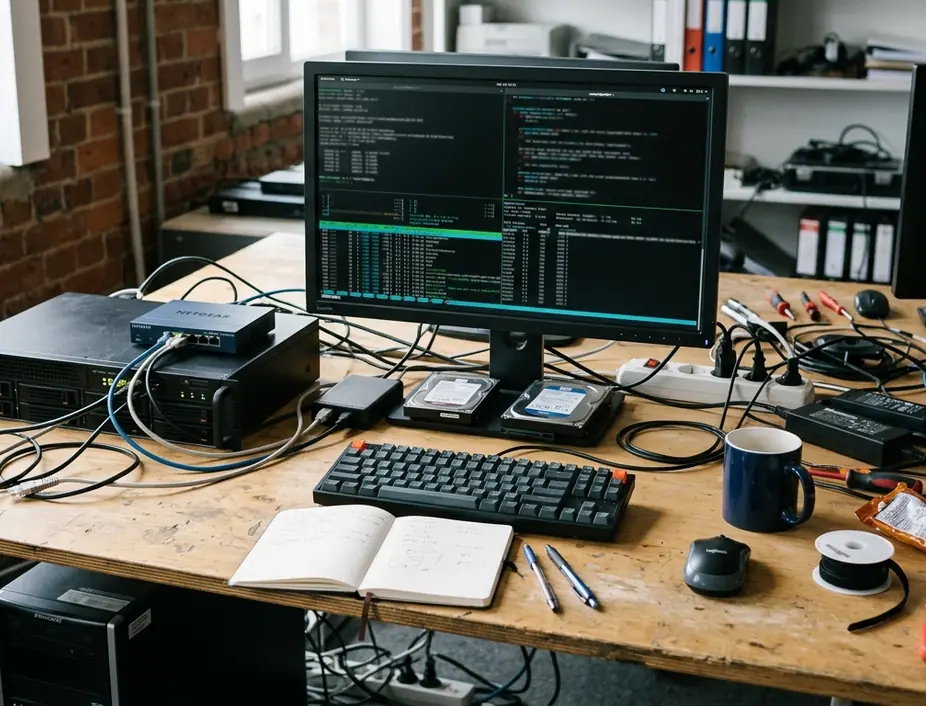
The structural cost is real. Where cron needs one line, systemd needs two files placed in a unit directory plus a daemon reload. For rotating a log file on a personal machine, that overhead buys you very little. For a backup routine that must run as a specific user, with a specific path, against a database that may or may not be listening, the declared environment removes an entire category of guesswork.
Reading Task History Without grep
Systemd timers win the observability comparison outright, and the margin is not close.
Cron's traditional reporting channel is email. Any output a job writes to stdout or stderr gets handed to a local Mail Transfer Agent for delivery to the job owner. On a modern cloud instance with no MTA configured, or with one whose relay credentials expired months ago, that output evaporates. What remains in syslog is a single line confirming the command was invoked. Not that it succeeded. That it started.
One team standardized on journalctl for centralized parsing precisely because local MTA configurations proved too fragile to carry error alerting. The journal captures standard output and standard error automatically, stamps each entry with a monotonic timestamp, and attaches unit metadata to every record.
The operational difference shows up in how you investigate. Instead of grepping a monolithic syslog file for a script name that may appear in twenty unrelated contexts, you query by unit:
- journalctl -u backup.service --since "2021-08-01 00:00:00" --until "2021-08-07 23:59:59" returns exactly one week of that unit's history, output included.
- systemctl list-timers prints every registered timer alongside its NEXT scheduled fire, the LEFT interval remaining, and the LAST time it actually ran.
Journal Query Discipline
Before declaring any migrated job healthy, run a unit-scoped journal query across at least one full scheduling cycle. A timer that appears in list-timers with a populated LAST column has fired; only the journal tells you what the service did once it started.
State-Aware Ordering and Catching Up After a Reboot
Cron has no concept of dependencies. It knows time. If your backup needs PostgreSQL listening and an NFS mount attached, cron will happily launch the job into an environment where neither exists.
Administrators have compensated for this with wrapper scripts for as long as cron has existed: a sleep loop at the top of the script polling for a socket, a lock file to prevent overlapping runs, a retry counter written to /tmp. Each of these is bespoke logic that must be written, tested, and maintained separately for every job on the host.
Systemd expresses the same requirements declaratively in the service unit. Requires=postgresql.service establishes a hard dependency, so the task refuses to start if the database unit is not active. After=network-online.target orders execution behind network availability rather than guessing at it with a sleep. The scheduler consults actual system state instead of your assumptions about how long boot takes.
The window you were powered off for
Downtime during a scheduled window exposes a second gap. A cron job whose moment passed while the machine was off is simply skipped, permanently. Nothing records the omission.
Adding Persistent=true to a timer unit instructs systemd to store the last trigger time on disk and, if that time has elapsed while the system was down, fire the associated service shortly after the next boot. Weekly reports and nightly backups on hardware that gets rebooted for kernel updates benefit immediately from this behaviour.
Shrinking the Blast Radius of a Background Task
Cron jobs inherit the full privileges of the user who created them. A job in root's crontab has unrestricted read and write access to the entire filesystem for its whole lifetime, whether the task needs one directory or all of them. If the script pulls a remote payload, parses untrusted input, or invokes an interpreter with a writable module path, the compromise surface equals the account's surface.
Systemd applies sandboxing to the service unit the timer triggers, without modifying the script at all:
- ProtectSystem=strict mounts the entire filesystem hierarchy read-only for that unit, with explicit write paths granted individually.
- PrivateTmp=true gives the process a private /tmp namespace, closing off symlink attacks and cross-job temp file collisions.
- NoNewPrivileges=true blocks privilege escalation through setuid binaries for the process and everything it spawns.
The same unit file is where you bound resource consumption. Because every systemd service lives in its own cgroup, directives such as CPUQuota=45% and MemoryMax=512M cap a runaway compression or indexing job before it starves the web tier. Achieving comparable containment under cron means wrapping the command in systemd-run, cgexec, or ulimit calls maintained by hand.
Sandbox Version Floor
These strict sandboxing directives apply exclusively to hosts running systemd version 232 or newer. Older init systems silently ignore the resource control parameters, which means a unit file copied to a legacy box will appear to apply limits it is not enforcing. Verify the version before assuming isolation is active.
Picking a Scheduler and Migrating Your First Job
Two recommendations come out of the comparison.

Keep cron for simple, user-level scripts on legacy systems, for containers with no init system, and anywhere portability across BSD and older Unix hosts matters more than instrumentation. A single-line crontab entry that clears a cache directory does not need two unit files and a daemon reload.
Move to systemd timers for critical infrastructure: database dumps, offsite backup routines, certificate renewals, and any task whose failure you must be able to reconstruct a week later. The combination of native journal integration, state-aware dependency directives, missed-run recovery, and per-unit resource limits addresses exactly the failure classes that make silent 3 AM breakage possible.
Low-Risk Migration Target
Choose a standalone job with no downstream consumers for your first conversion. A staging-server log pruner or a homelab metrics scrape gives you a real journal trail to read without putting a restore path at risk.
Pick one non-critical, standalone cron job on your homelab or staging server today and convert it. Write the .service unit with an absolute command path and an explicit User directive, write the matching .timer with your OnCalendar expression and Persistent=true, then run systemctl daemon-reload followed by systemctl enable --now task.timer. Comment out the original crontab line, leave it in place as a rollback, and watch journalctl -u for that unit across a two to three day observation window. Reading your first automatically captured stderr trace with a precise timestamp attached is what makes the argument concrete.



Leave a Comment