

Web font latency is the cumulative network and rendering delay incurred between the initial HTML document request and the browser painting text glyphs using a custom typeface. In a self-hosted LEMP environment, offloading typography to external providers introduces severe connection overhead that negates local web optimization efforts. Eliminating this bottleneck requires moving font assets onto the local file system, stripping unused glyph tables via Python scripting, and tuning Nginx to push critical font binaries at the initial HTTP response layer.
External Font Waterfall Delays in LEMP Environments
On a self-hosted LEMP stack, external stylesheet handshakes that cannot be coalesced over the existing HTTP/2 connection can delay the initial text paint. Even when a local Nginx server delivers the primary HTML document in milliseconds, relying on a third-party provider like Google Fonts forces the client browser into a multi-step external dependency chain.
Resolving third-party font origins requires two distinct TLS 1.3 handshakes and DNS lookups across separate domains before binary glyph transfer begins. First, the browser parses the document head and encounters a stylesheet link pointing to fonts.googleapis.com. It must perform a DNS lookup, establish a TCP connection, and complete a TLS negotiation just to download a dynamic CSS file. That stylesheet contains the @font-face rules, which point to a completely different origin: fonts.gstatic.com. The browser then initiates a second sequence of DNS resolution, TCP handshake, and TLS negotiation to fetch the actual binary font files.
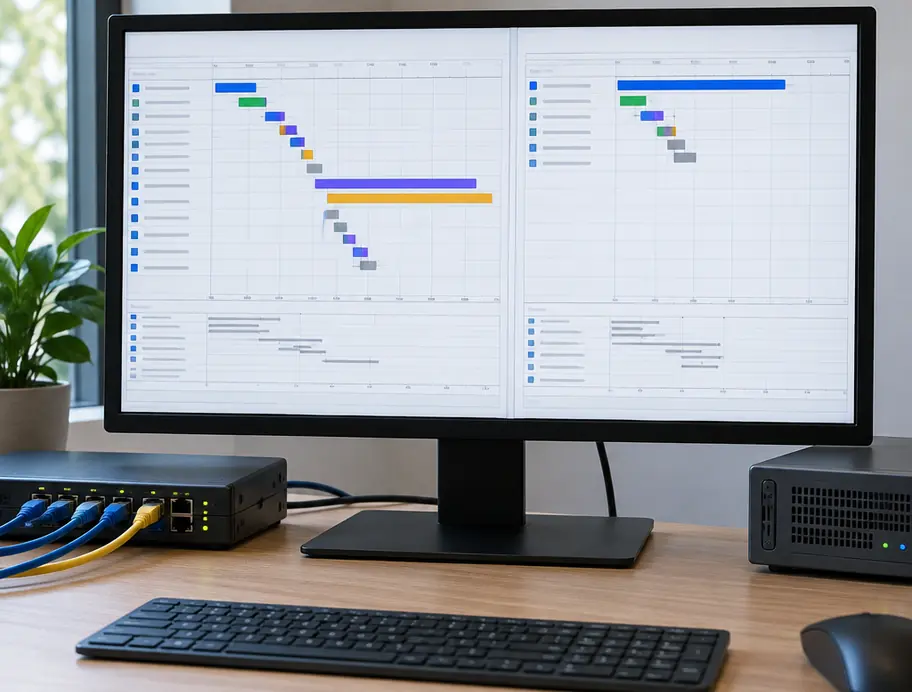
Network round-trips are only part of the latency problem. Browser rendering engines wait for the CSSOM tree to map against DOM nodes before dispatching font requests, which can delay text rendering during the font's blocking period. Because the browser refuses to download a font until it verifies that a specific DOM element actively uses that typeface, the font fetch sits idle at the bottom of the waterfall while all external stylesheets download and parse. If the fallback font swaps in after the timeout expires, the user experiences a jarring Flash of Unstyled Text (FOUT) accompanied by cumulative layout shifts.
WOFF2 Brotli Compression Mechanics and Unicode Range Subsetting
Hosting font files locally on your Nginx server solves the multi-origin connection penalty, but serving raw TrueType (TTF) or unoptimized variable fonts still wastes bandwidth. The W3C WebFonts Working Group WOFF File Format 2.0 Specification addresses payload size through two mechanisms: custom preprocessing transforms and built-in Brotli compression. Before compressing the file, the WOFF2 encoder applies a mathematical transform to the glyf and loca tables, removing redundant bounding box data and converting coordinates into variable-length integers. This preprocessing reduces table entropy, allowing the internal Brotli compressor to achieve substantial byte reductions over legacy WOFF or gzipped TTF assets.
Despite these format-level efficiencies, standard font distributions remain bloated for single-language deployments. Retaining the full variable font file supports dynamic weight animations, but unrendered Cyrillic, Greek, and mathematical symbols can account for a substantial share of the payload. On an English-language WordPress installation, transmitting thousands of unused international characters on every initial page view degrades Time to First Byte (TTFB) and consumes mobile data bandwidth.
Server administrators can strip these unnecessary glyphs directly on their host machine using Python's fonttools library. By executing pyftsubset from the command line, you can isolate the exact Basic Latin and Latin-1 Supplement Unicode ranges required for English typography while discarding extraneous OpenType layout features.
sudo apt update && sudo apt install -y python3-pip brotli
pip3 install fonttools

pyftsubset Inter-VariableFont_slnt,wght.ttf \
  --unicodes="U+0000-00FF,U+0131,U+0152-0153,U+02BB-02BC,U+02C6,U+02DA,U+02DC,U+2000-206F,U+2074,U+20AC,U+2122,U+2191,U+2193,U+2212,U+2215,U+FEFF,U+FFFD" \
  --layout-features="kern,liga,clig,calt" \
  --flavor="woff2" \
  --output-file="inter-latin-regular.woff2"
Executing pyftsubset with --flavor=woff2 and --layout-features='kern,liga,clig,calt' strips non-Latin tables while applying level-11 Brotli compression to the transformed glyf and loca tables. This command preserves essential typographic kerning and standard ligatures while dropping complex script tables. Generating subsetted WOFF2 binaries via the Python fonttools CLI can substantially reduce the font payload; processing time and output size depend on the source font and retained glyphs.
Dequeueing Remote Stylesheets and Registering Local @font-face Rules in WordPress
Once the subsetted WOFF2 binaries reside in your theme directory, you must sever WordPress's connection to the remote font servers. Commercial themes and page builders frequently enqueue Google Fonts at late priorities, and WordPress core automatically injects dns-prefetch or preconnect resource hints whenever it detects external stylesheet domains in the dependency queue.
To prevent parent theme updates from overwriting local typography rules or re-introducing external network calls, place your deregistration logic inside a custom Must-Use plugin (wp-content/mu-plugins/disable-remote-fonts.php). Hooking wp_dequeue_style() and wp_deregister_style() into wp_enqueue_scripts at priority 999 intercepts stylesheet handles registered late by page builders, while filtering wp_resource_hints removes lingering dns-prefetch and preconnect tags.
<?php
/**
 * Plugin Name: Local WOFF2 Font Enforcer
 * Description: Dequeues remote Google Fonts and strips external resource hints.
 */

add_action( 'wp_enqueue_scripts', function() {
    global $wp_styles;
    if ( ! ( $wp_styles instanceof WP_Styles ) ) {
        return;
    }
    foreach ( $wp_styles->registered as $handle => $style ) {
        if ( strpos( $style->src, 'fonts.googleapis.com' ) !== false ) {
            wp_dequeue_style( $handle );
            wp_deregister_style( $handle );
        }
    }
}, 999 );

add_filter( 'wp_resource_hints', function( $urls, $relation_type ) {
    if ( in_array( $relation_type, array( 'dns-prefetch', 'preconnect' ), true ) ) {
        $urls = array_filter( $urls, function( $url ) {
            $target = is_array( $url ) ? $url['href'] : $url;
            return ( strpos( $target, 'fonts.googleapis.com' ) === false && strpos( $target, 'fonts.gstatic.com' ) === false );
        });
    }
    return $urls;
}, 10, 2 );
With the external requests terminated, declare your subsetted font files in your child theme's primary style.css file. Modern web optimization dictates dropping legacy EOT, TTF, and WOFF1 declarations entirely. Omitting these fallbacks from the src descriptor leaves fewer font sources for the browser to evaluate.
@font-face {
  font-family: 'Inter';
  font-style: normal;
  font-weight: 400;
  font-display: swap;
  src: local('Inter Regular'), local('Inter-Regular'),
       url('/wp-content/themes/child-theme/assets/fonts/inter-latin-regular.woff2') format('woff2');
  unicode-range: U+0000-00FF, U+0131, U+0152-0153, U+02BB-02BC, U+02C6, U+02DA, U+02DC, U+2000-206F, U+2074, U+20AC, U+2122, U+2191, U+2193, U+2212, U+2215, U+FEFF, U+FFFD;
}
Including local('Inter Regular') instructs the browser to check the client's operating system for a locally installed copy of the typeface before initiating a network fetch. The font-display: swap descriptor allows text to render using a system fallback font if the WOFF2 binary has not yet arrived, avoiding a prolonged FOIT period. Defining the explicit unicode-range ensures the browser only downloads the font file if characters within that exact hexadecimal map appear on the rendered page.
Configuring Targeted Nginx Preload Headers and Immutable Cache Directives
Self-hosting a subsetted WOFF2 file eliminates third-party TLS handshakes, but the browser still waits to parse the CSS file before requesting the font. To bypass CSS parser latency entirely, you can configure Nginx to emit an HTTP Link header with the rel=preload parameter. When the client receives the initial HTML document headers, it reads the HTTP Link directive and dispatches the font request immediately over the existing HTTP/2 stream. Initiating early font fetches via HTTP Link headers can shorten the critical rendering path by starting the binary download parallel to HTML document parsing.
Mandatory Anonymous CORS Mode
When constructing preload directives for web fonts, the crossorigin attribute is mandatory even when serving files from the exact same domain. According to the W3C Fetch specification, browsers always fetch fonts using anonymous Cross-Origin Resource Sharing (CORS) mode. If you omit the crossorigin token from your Nginx Link header, the browser preloads the font using a non-CORS credentialed request. Milliseconds later, when the CSS parser processes the @font-face rule, it demands an anonymous CORS connection. Because the connection modes do not match, the browser discards the preloaded binary in memory and downloads the exact same WOFF2 file a second time.
Scoping FastCGI Preload Headers
A common server administration mistake involves placing add_header Link directives in the global Nginx server block. Global placement attaches the HTML preload instruction to every static image, script, and stylesheet response, bloating HTTP headers across the entire site. Instead, isolate the preload header inside your PHP FastCGI location block so it attaches strictly to dynamic HTML document responses, and configure a separate static asset block for immutable WOFF2 caching.
# Static WOFF2 Caching Block
location ~* \.(?:woff2)$ {
    expires max;
    add_header Cache-Control "public, max-age=31536000, immutable";
    add_header Access-Control-Allow-Origin "*";
    access_log off;
    gzip off;
}

# FastCGI PHP Execution Block
location ~ \.php$ {
    try_files $uri =404;
    fastcgi_split_path_info ^(.+\.php)(/.+)$;
    fastcgi_pass unix:/var/run/php/php8.2-fpm.sock;
    fastcgi_index index.php;
    include fastcgi_params;

    # Preload critical body font exclusively on PHP/HTML responses
    add_header Link "</wp-content/themes/child-theme/assets/fonts/inter-latin-regular.woff2>; rel=preload; as=font; type=font/woff2; crossorigin";
}
Configuring Nginx with add_header Link "</wp-content/themes/child-theme/assets/fonts/inter-latin-regular.woff2>; rel=preload; as=font; type=font/woff2; crossorigin" inside the ~ \.php$ block alongside expires max and Cache-Control "public, max-age=31536000, immutable" in the ~* \.(?:woff2)$ block bypasses gzip re-evaluation. Because WOFF2 files already utilize internal level-11 Brotli compression, disabling gzip inside the font location block prevents Nginx from wasting CPU cycles attempting to compress an already compressed binary.
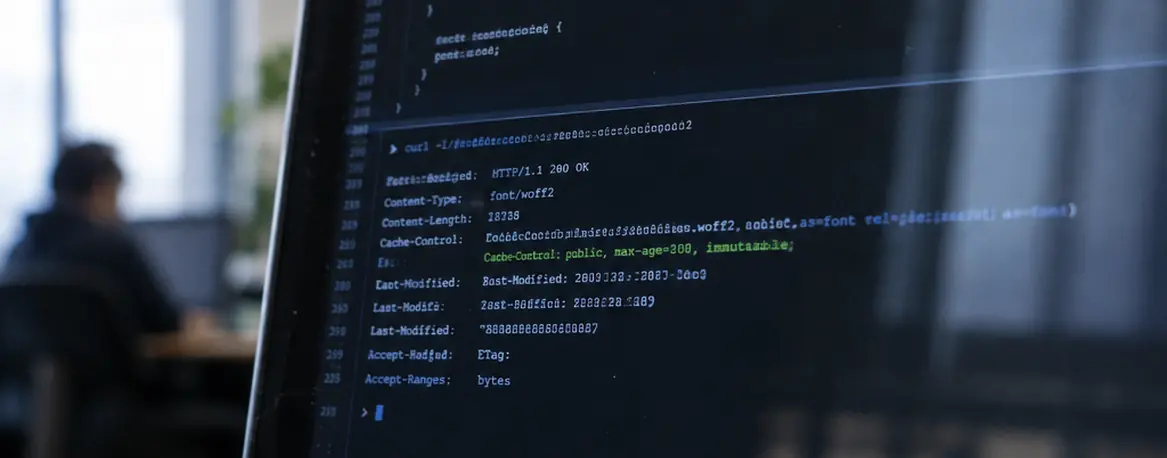
While preloading eliminates parser discovery delays, exercise strict restraint with the number of files you push. Injecting HTTP Link preload headers at the Nginx FastCGI layer may fail to accelerate first-paint metrics when more than two font weights are preloaded simultaneously, as the competing binary streams can saturate the initial TCP congestion window and delay critical CSS delivery. Restrict your Nginx preload headers to your single primary body weight, or at most one body weight and one primary heading weight, where standard HTTP/2 stream prioritization governs single-origin LEMP responses.
Worked Verification: Auditing a Self-Hosted Inter Variable Font Migration via DevTools
To verify that your local WOFF2 files are properly cached and preloaded without triggering duplicate downloads from CORS mode mismatches, execute this two-stage audit against your live WordPress domain.
Step 1: Terminal Header Inspection via cURL
Open your local terminal and query the root HTML document headers of your WordPress installation using curl -I, followed by a second request targeting the direct URI of the subsetted WOFF2 file.
# 1. Inspect the primary HTML document response
curl -I https://example.com

# Expected Output Fragment:
# HTTP/2 200
# server: nginx
# content-type: text/html; charset=UTF-8
# link: </wp-content/themes/child-theme/assets/fonts/inter-latin-regular.woff2>; rel=preload; as=font; type=font/woff2; crossorigin

# 2. Inspect the direct WOFF2 binary response
curl -I https://example.com/wp-content/themes/child-theme/assets/fonts/inter-latin-regular.woff2

# Expected Output Fragment:
# HTTP/2 200
# server: nginx
# content-type: font/woff2
# content-length: 18842
# cache-control: public, max-age=31536000, immutable
# access-control-allow-origin: *
Running curl -I against the root document confirms the exact crossorigin token syntax on the Link header, while checking the direct WOFF2 URI validates the font/woff2 MIME type and 31536000-second cache lifetime. If the content-type returns application/octet-stream instead of font/woff2, verify that your /etc/nginx/mime.types file includes the declaration font/woff2 woff2; and reload Nginx.
Step 2: Throttled Network Waterfall Analysis
Next, validate the rendering behavior inside a browser engine:
- Open Chromium Developer Tools and navigate to the Network tab.
- Check the Disable cache box in the top toolbar to force a cold load.
- Select the throttling dropdown (set to "No throttling" by default) and apply the Slow 4G profile.
- Hold
Command(macOS) orCtrl(Linux/Windows) and click the Doc, CSS, and Font filter buttons so that only those three resource types appear in the waterfall table. - Refresh the page to capture the network trace.
Examine the resulting rows. Look for the initial HTML document request at the top of the table, followed by inter-latin-regular.woff2 and your theme's style.css file. With the Slow 4G connection profile, check whether the WOFF2 request starts shortly after the initial document response rather than after the main stylesheet. Look at the Initiator column for the font file: it may read Other (indicating an HTTP header preload) rather than referencing a line number inside style.css. In this example, a single entry for inter-latin-regular.woff2 shows that the anonymous CORS preload satisfied the CSSOM's internal font fetcher without a duplicate download, leaving a single 18.4 KB font transfer.











Leave a Comment